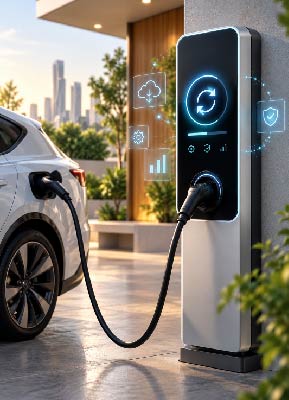
An electric vehicle charger at your site may work normally for months, then ask for a software update. That update may fix a connection issue, improve vehicle compatibility, close a security gap, or prevent an error from returning. Before choosing “update later,” it helps to know what the software inside electric vehicle chargers does, especially when the charger is connected to an app or management platform.
What Are Electric Vehicle Chargers, and How Do They Work?
What you see on the wall or inside a charging station is only the visible part. Alongside cables, power components, and protection systems, many modern electric vehicle chargers run internal firmware that controls part of their operation and communication.
The charger manages the session within the limits of its power and site setup, while exchanging data with the vehicle. In smart chargers, the software may also connect to an app or management platform, record session data, show charger status, and carry out supported remote commands.
The software does not remain unchanged throughout the charger’s life. Firmware may receive updates to correct faults, improve communication, or support a newer management system.
To compare charger categories and their uses, check this article: Electric vehicle charging stations, their types and uses in homes and businesses.
Why Do Some Electric Vehicle Chargers Need Software Updates?
If the charger already works safely, why would it need new software? Updates are released for reasons such as
| What the update does | What may change? |
| Bug fix | Corrects a shutdown, error message, or unexpected behavior |
| Connection improvement | Improves Wi-Fi, Bluetooth, or cloud stability |
| Compatibility improvement | Improves communication with vehicles or management systems |
| Security update | Addresses a vulnerability or strengthens communication security |
| Protocol development | Adds or improves OCPP functions or other standards |
| New feature | Enables a function supported by the charger hardware |
Official release notes show how varied these changes can be. A Wallbox release about electric vehicle chargers published in 2026 included fixes for Bluetooth stability and OCPP configuration, plus improvements to thermal protection and cloud communication.
In managed networks, firmware management can also be part of OCPP functionality. The Open Charge Alliance states that firmware management is part of the updated mandatory core profile for OCPP 1.6 certification, while the updated OCPP 2.0.1 core profile includes secure firmware updates.
To learn more about charger communication with management platforms, take a look at our article on: What Is Open Charge Point Protocol and Why Does It Matter When Choosing an EV Charger?
Main Benefits of Updating Electric Vehicle Charger Software
The main benefits can include:
- Reducing recurring software errors.
- Improving communication between the charger, vehicle, app, or management platform.
- Applying security fixes when needed.
- Improving data recording and monitoring on supported models.
- Adding functions supported by the existing hardware.
- Improving compatibility with newer systems or protocols.
Software cannot solve every charger problem. An update cannot increase the charger’s physical power rating, repair a damaged cable, or fix a breaker that trips because of an electrical load issue.
If electric vehicle chargers keep stopping, identify the problem before assuming the software is responsible.
For other causes of charging interruptions, check our article on: Why Does Your Electric Vehicle Charger Stop Working Unexpectedly?
When Do Electric Vehicle Chargers Need a Software Update?
There is no fixed update schedule for every charger. A release may address a specific fault, security issue, communication problem, or new function supported by a particular model.
Check whether an update is needed when:
- You receive an official notification for a new release.
- The manufacturer publishes a security fix or correction for your model.
- A recurring connection or compatibility issue is listed as fixed in the release notes.
- A charger returns to service after being offline for a long period.
- A change to the management platform or communication settings requires a newer version.
Before installing an update, confirm that it matches the charger model and read the release notes.
What if my station has several chargers?
Do not update every unit at once. Start with a small group when usage is lower, confirm they return to normal operation, then move to the next group. Keep some charging points available and check charger status after each batch.
If the management platform supports remote updates, divide the chargers into small groups and update each group separately while leaving the remaining points available.
How Can You Keep an EV Charger Efficient and Avoid Operating Problems?
These steps can help your electric vehicle chargers:
- Keep the connection stable if the charger depends on the internet for updates or remote management.
- Update when no charging session is active, following the manufacturer’s instructions.
- Do not interrupt power or connectivity during the update unless instructed.
- After restart, check the installed version and charger status.
- At commercial sites, keep a record of installed firmware versions.
- Inspect cables, connectors, breakers, earthing, and ventilation.
- If a problem continues, record the fault code, time, and connection status.
Run the update during a quieter period and keep the charger connected until it finishes. Then start a charging session and confirm that the charger works normally and appears correctly on the management platform.
For related electrical checks, you may also like EV Charger Installation and the Most Important Technical Requirements Before Installation.
In a nutshell, software updates can correct faults and improve communication, compatibility, and supported functions in electric vehicle chargers. They remain one part of maintenance and do not replace technical inspection when the problem involves cables, electrical connections, or hardware. Current Power provides charger operation and maintenance services, including communication checks, fault codes, compatibility settings, and field maintenance.
Contact Current Power to inspect your electric vehicle chargers and determine whether the problem needs a software update or technical work at the site.
Frequently Asked Questions About Electric Vehicle Charger Software Updates
The version number is usually available in the charger app, management platform, or device information, depending on the model. Some systems also show the latest available version.
Check power and connection stability, then follow the manufacturer’s recovery steps. If the charger remains unresponsive after the expected update period, contact technical support instead of repeatedly disconnecting and restarting it.
An app update changes the software on the phone or device used for control. A firmware update changes the software inside the charger, which handles part of its operation and communication.
The method depends on the model. Some chargers can receive a local update through Bluetooth. Others may require a service tool, a temporary network connection, or support from a technician.